

Description
Download Tumult HyperEdit – Fast, Free Mac Source Editor
Overview
Tumult HyperEdit is a lightweight yet powerful source‑code editor designed specifically for macOS. Released by Tumult Co. as a trial version, HyperEdit targets developers, web designers, and anyone who needs a fast, responsive IDE for HTML, CSS, JavaScript, and other scripting languages. Although the trial is limited to a single‑session evaluation, it showcases a clean interface, real‑time syntax highlighting, and a set of utilities that make everyday coding smoother. The current public build (version 1.6) runs on macOS X and later, and it is distributed in English only. Because HyperEdit lives in the “IDEs/Source Editors” category, it competes with heavyweight tools like Sublime Text and Visual Studio Code, but it distinguishes itself with a minimal‑footprint design that launches in seconds and consumes very little RAM. The trial can be downloaded for free from Softonic, and the full version can be purchased directly from the developer’s website. Whether you are a seasoned programmer looking for a secondary editor or a student needing a secure, no‑frills tool for school projects, HyperEdit offers a compelling blend of speed, simplicity, and macOS‑native integration.
Key Features that Set HyperEdit Apart
- Instant Launch & Low Resource Usage: HyperEdit opens in under a second and stays under 50 MB of RAM, even with large files.
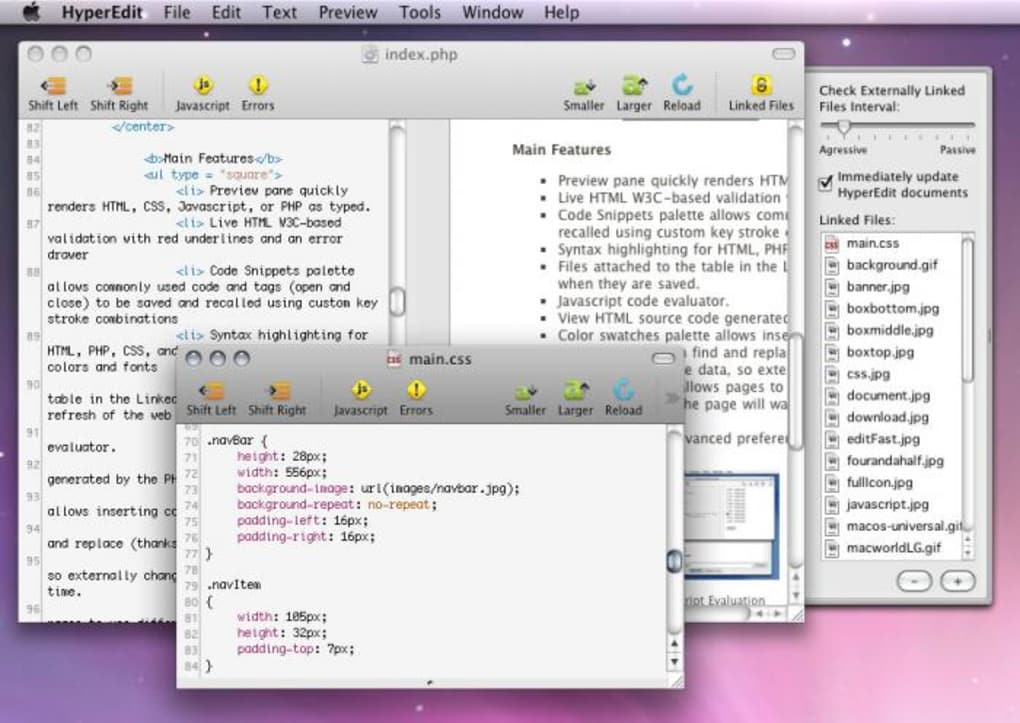
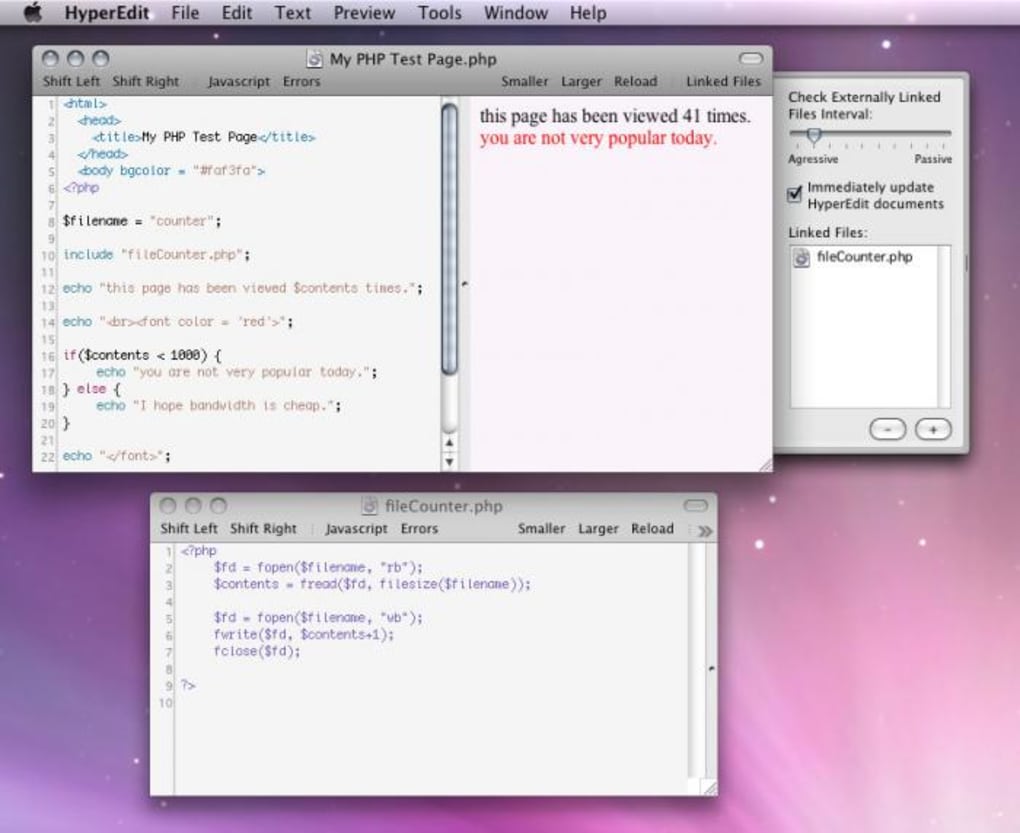
- Real‑Time Syntax Highlighting: Supports HTML, CSS, JavaScript, PHP, Ruby, Python, and many more languages with accurate colour schemes.
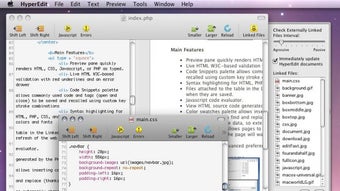
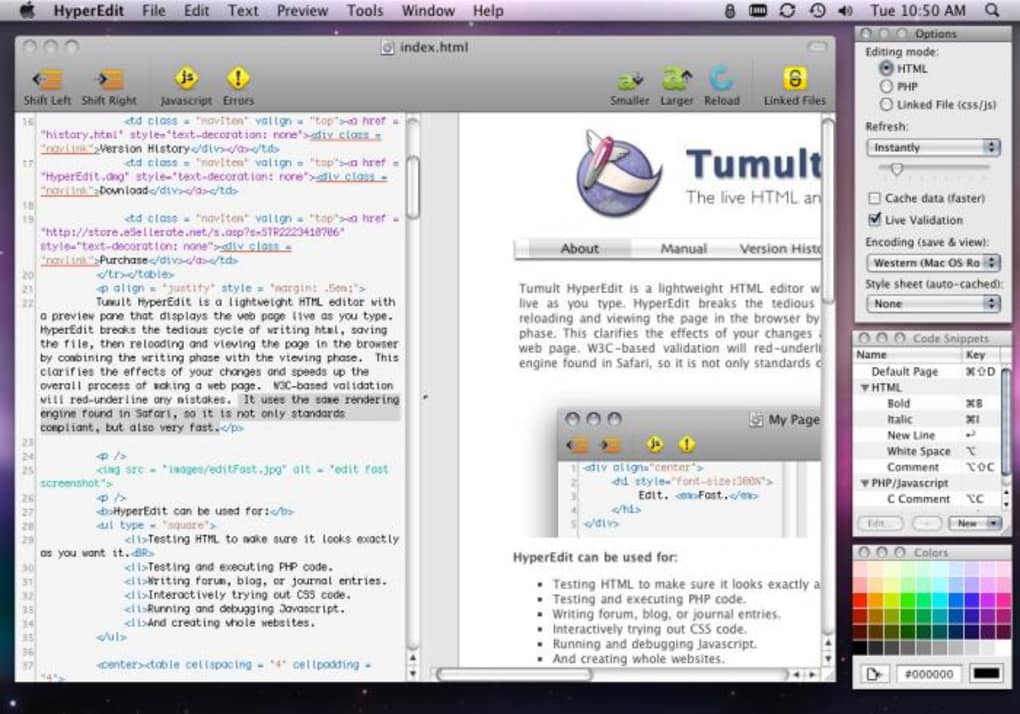
- Live Preview Pane: A built‑in browser view updates as you type, letting you see changes without leaving the editor.
- Smart Autocomplete: Context‑aware suggestions speed up coding and reduce typographical errors.
- Mac‑Native UI: Uses macOS’s native menus, dark mode, and retina support for a seamless user experience.
- Extensible via Plugins: Though the trial version limits plugin installation, the full app accepts third‑party extensions for linting, Git integration, and more.
- Secure File Handling: All files are saved locally with macOS sandboxing, ensuring that no data is transmitted without user consent.
- Regular Free Updates: The developer promises monthly bug‑fix releases and occasional feature additions for trial users.
These features are bundled into a tidy package that respects macOS conventions. For developers who dislike bloated IDEs, HyperEdit’s simplicity is a breath of fresh air. The live preview eliminates the need for a separate browser tab, while the smart autocomplete reduces keystrokes. Even though the trial version does not unlock the full plugin ecosystem, the core capabilities are sufficient for most front‑end development tasks. The application also respects macOS security standards, meaning you can work on confidential projects without worrying about hidden telemetry or background data collection.
Installation & Usage – Step‑by‑Step Guide
Getting started with Tumult HyperEdit is straightforward. Follow these steps to download, install, and begin editing your first file:
- Download the Installer: Visit the Softonic page for HyperEdit and click the “Download free trial” button. The file will be a
.dmgpackage sized around 15 MB. - Mount the Disk Image: Double‑click the downloaded
.dmgfile. macOS will open a new window showing the HyperEdit icon and an Applications shortcut. - Copy to Applications: Drag the HyperEdit icon into the Applications folder. This step ensures the app is available system‑wide and receives proper sandbox permissions.
- Launch the App: Open the Applications folder, locate HyperEdit, and double‑click it. macOS may warn you that the app is from an unidentified developer; click “Open” to proceed.
- Accept the License: The first‑run dialog presents the trial license agreement. Click “Agree” to continue.
- Configure Preferences (Optional): From the menu bar, select HyperEdit → Preferences**. Here you can toggle dark mode, adjust font size, and set the default language for new files.
- Create or Open a File: Use File → New** to start a blank document, or File → Open** to edit an existing project. The editor will automatically detect the file type and apply appropriate syntax highlighting.
- Use the Live Preview: Click the “Preview” button on the toolbar. A split view appears, showing your code on the left and a rendered web page on the right. Any changes you type are reflected instantly.
- Save Your Work: Press ⌘S or choose File → Save**. The trial version permits unlimited saves within the evaluation period.
The learning curve is minimal. HyperEdit’s interface mirrors familiar macOS patterns: a clean menu bar, intuitive toolbar icons, and a sidebar for file navigation. Because the trial version disables certain advanced options (like plugin management), beginners can focus on core editing without distraction. If you need to export your settings or import a colour theme, those options are located under the “Appearance” tab in Preferences. Should you encounter any issues, the Help menu links directly to the online knowledge base where you can find troubleshooting articles and contact the support team.
Conclusion – Should You Download Tumult HyperEdit?
After testing the trial, it’s clear that Tumult HyperEdit delivers on its promise of a fast, secure, and macOS‑friendly source editor. The application shines when you need a lightweight tool for quick edits, front‑end prototyping, or teaching environments where simplicity is paramount. While power users may eventually migrate to a more extensible IDE, HyperEdit’s core feature set—instant launch, live preview, and solid syntax support—covers the majority of everyday coding scenarios. Its free trial lets you evaluate the performance without committing to a purchase, and the full version is reasonably priced for the value it adds.
Pros
- Blazing‑fast startup and low memory footprint.
- Native macOS look & feel with dark mode support.
- Real‑time preview eliminates context switching.
- Accurate syntax highlighting for many languages.
- Secure sandboxed environment; no hidden telemetry.
Cons
- Trial version limits plugin installation.
- English‑only interface may deter non‑English speakers.
- Lacks integrated Git workflow found in larger IDEs.
- No built‑in terminal or command‑line tools.
- Feature set may feel basic for advanced backend development.
Frequently Asked Questions
Is the trial version time‑limited?
No. The trial does not expire after a set number of days, but it disables advanced features like plugin support. You can use it indefinitely for basic editing.
Can I use HyperEdit for commercial projects?
Yes, the trial allows commercial use, but you must purchase a license for full functionality and to receive updates beyond the trial period.
Does HyperEdit support version control integration?
The trial version does not include built‑in Git or SVN integration. The full version adds optional plugins for version control.
Is there a portable version for USB drives?
HyperEdit is distributed as a standard macOS application bundle and does not offer a portable edition.
How often are updates released?
The developer promises monthly bug‑fix updates for the trial, with feature releases occurring roughly every 3‑4 months.
If you value speed, macOS integration, and a zero‑cost entry point, download Tumult HyperEdit today. The trial lets you assess whether its streamlined workflow fits your development style, and upgrading to the full version is just a click away. Give it a try, and you may find that a lightweight editor is all you really need for many projects.
Guides & Tutorials for Tumult HyperEdit
How to install Tumult HyperEdit
- Click the Preview / Download button above.
- Once redirected, accept the terms and click Install.
- Wait for the Tumult HyperEdit download to finish on your device.
How to use Tumult HyperEdit
This software is primarily used for its core features described above. Open the app after installation to explore its capabilities.
User Reviews for Tumult HyperEdit 0
No reviews found





.webp)